A good open house flyer template does two jobs. Before the open house, it gets people to show up. During it, it gives visitors something to take home that reminds them why they liked the place. This page covers what to include, how to write features that sound specific, three formats, how to get people through the door, and ten open house flyer ideas.
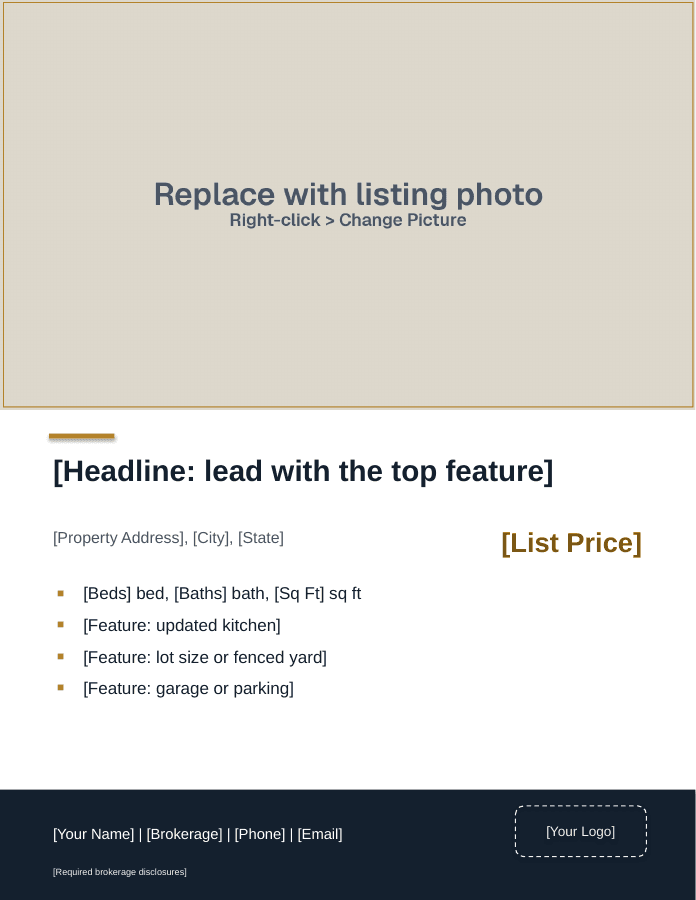
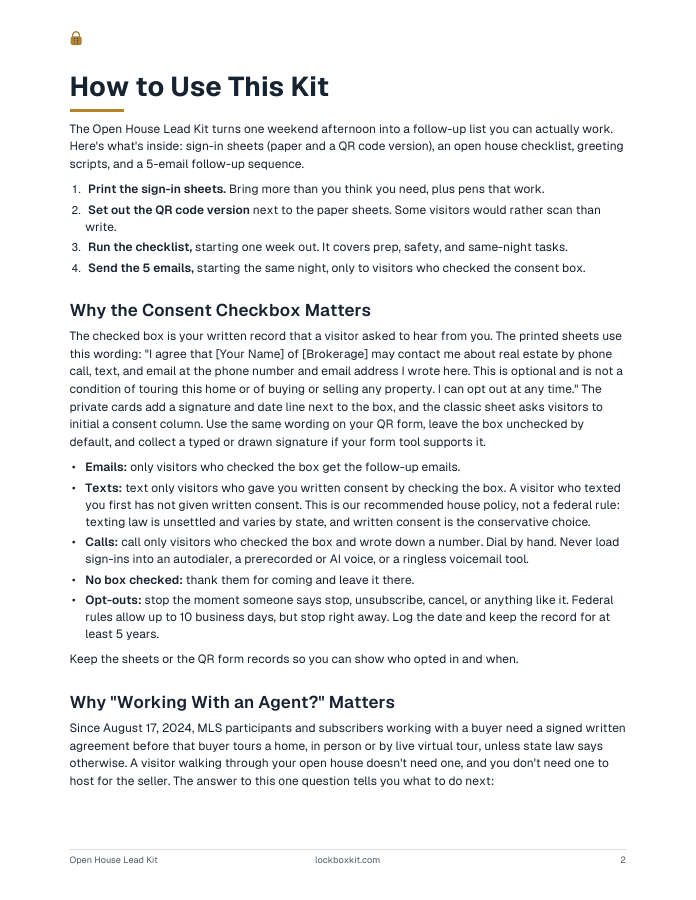
The free Open House Lead Kit includes an editable open house flyer in a PPTX file, with photo and QR code placeholders you replace with your own. It opens in PowerPoint, Google Slides, or Keynote, and imports into Canva. The same kit has sign-in sheets, an editable QR sign-in sign, and an open house checklist.
What Goes on an Open House Flyer Template
Check these off before you print:
- "Open House" with the day, date, and time in the largest type on the page
- Full property address
- List price (if the seller approves)
- One photo: the best exterior or the main living space
- Beds, baths, and finished square footage with the source (assessor, appraisal, or measured)
- Three to five specific features
- QR code to the property page or your digital sign-in
- [Your Name], [Phone], [Email]
- [Brokerage] name, shown the way your state requires, and any license number required
- Equal Housing Opportunity logo or statement, if your brokerage requires it
Your brokerage name belongs on every flyer. NAR's Code of Ethics requires members to show their firm's name in any advertising, and state license laws (Texas and Florida, for example) require it too.
Compliance: Advertising requirements differ from place to place. Rules vary by state, MLS, and brokerage. Use your brokerage's approved forms and check with your broker.
Write Feature Bullets That Sound Specific
Visitors have read the same five adjectives on every flyer this year. Specific facts stand out because nobody else bothers to write them.
| Vague | Specific |
|---|---|
| Updated kitchen | Kitchen updated [Year]: quartz, gas range |
| Big yard | [Lot Size] acre lot, fenced, with shed |
| New systems | Roof [Year], furnace [Year], water heater [Year] |
| Great location | [Number] minutes to [Highway or Employer] |
| Lots of storage | Two walk-in closets plus [Size] storage room |
Ask the seller for the years and receipts before you write. One verified detail beats three guesses.
Wording to leave off the flyer
Describe the property, never the people who might live there. Skip lines like "perfect for young couples," "adults only," or "great for singles." Room names such as "family room" and "master bedroom" are fine under HUD's long-standing guidance. Leave subjective neighborhood claims like "safe area" or "great schools" off the flyer. If a visitor asks about schools or crime, you can share objective, sourced data, as long as you give every visitor the same information.
Open House Flyer Template Layouts
Layout 1: The single-page handout
This is the format of the flyer in the kit: a portrait page with "Open House" and the day, date, and time across the top, a large photo, then the address, price, and feature bullets beside a box for your QR code. A footer holds your name, brokerage, phone, email, logo, and any required brokerage disclosures. If you print double-sided, add a floor plan or room list on the back.
This is the one you set on the kitchen counter and hand to every visitor.
Layout 2: The neighbor invite
Build this one yourself as a half-sheet or door hanger. Headline: "You're invited to a neighbor preview." Body copy:
Say this: Before the public open house at [Property Address] on [Day], I'm holding a neighbor preview from [Time] to [Time]. Come see what's been updated and how it's priced. [Your Name], [Brokerage], [Phone].
Neighbors are curious, and some are quietly thinking about their own move. Leave these at doors on the street during the week. Skip any home with a "No Soliciting" sign and follow local solicitation rules.
Compliance: A flyer, door hanger, yard sign, or website counts as public marketing under NAR's MLS policy, and a listing has to be submitted to the MLS within one business day after public marketing starts. Office exclusive listings can't be publicly marketed. How your MLS applies these rules, and whether it allows coming-soon or delayed marketing, varies. Hand out invites only once the listing is in the MLS or your MLS rules allow it. Check with your broker.
Layout 3: The social square
Build this one yourself too: a 1080 by 1080 graphic for posts and stories. Photo fills the frame, with a bar across the bottom: "Open House [Day] [Time] | [Property Address] | [List Price]." Put your brokerage name on the graphic and the full details in the caption.
How to Make an Open House Flyer
- Open the template and replace the photo first. Everything else is arranged around it.
- Type the date and time, then read them out loud against your calendar. Wrong dates are an easy mistake to miss.
- Paste in the address and price exactly as they appear in the MLS.
- Write five feature bullets from the seller's receipts and your listing notes. Cut to three if they crowd the page.
- Make a QR code with the tool of your choice, place it in the QR box, and scan it with your phone to confirm it opens the right page.
- Add your contact block, brokerage name, and anything else your brokerage requires.
- Send a PDF proof to the seller to confirm facts, and to your broker if your brokerage reviews advertising.
- Export print and social versions from the same file so the details always match.
How to Get People to Come to Your Open House
A flyer only works if it reaches people. Use the same file in several places:
- MLS and listing sites. Add the open house to your MLS listing, following MLS rules, so it shows up where buyers and their agents search.
- Social posts. Post the social square early in the week and again the morning of.
- Email. Send the flyer as a PDF to your opted-in buyer list and to agents who have shown the home.
- Neighbors. Drop invites on the surrounding streets a few days ahead.
- Yard sign box. Keep a stack in the sign box so drive-by traffic can grab one any day.
- Directional signs. Place them on the route visitors will drive, following local sign rules and with permission on private property.
10 Open House Flyer Ideas
- Neighbor preview hour. Use Layout 2 to invite the street an hour before the public open.
- Systems timeline. A small table of the roof, furnace, AC, water heater, and windows with install years. Buyers ask about these anyway.
- Floor plan on the back. Even a simple sketch with room dimensions helps visitors remember the layout.
- Utility snapshot. Ask the seller for recent utility bills and show them as a range. Label the source.
- Recent sales nearby. Three recent sales with address, date, and price, if your MLS rules allow you to share them. Pull current data, don't guess.
- Commute and errands map. Distances to highways, transit, parks, groceries, and major employers. Stick to places and minutes.
- Buyer question list. "Questions worth asking at any open house," with a line for notes. Visitors keep it.
- Video tour QR. A second QR code that opens a walk-through video for anyone who wants to show someone later.
- Twilight open house. A weekday evening open with the lights on. Lead with the time: "Tuesday, 5 to 7 p.m."
- Seller-side line. A small line at the bottom: "Thinking of selling nearby? Scan to request a price opinion for your home." It catches neighbors who came to see how the home was priced.
Print and Photo Tips
- Use the photo with the most natural light. A bright main room usually beats a gray exterior shot.
- Keep body text at 11 points or larger so visitors can read it easily.
- Print the handout on heavier paper. It feels like a document worth keeping.
- Leave white space around the QR code and make it at least an inch wide so phones can read it.
- Match your brokerage's brand guide if it has one.
- Date every version in the file name so you never set out last week's flyer.
How many open house flyers to print
Print for the traffic you expect, based on your own past sign-in counts at similar prices nearby, plus extras for neighbor invites and the sign box. Short runs mean nothing goes to waste when the price or date changes.
When to Use It
- Every public open house, printed and on the counter
- The week before, as neighbor invites and social posts
- In the yard sign box for drive-by traffic
- After a price change, as a fresh flyer with the new number and a new open house date
Print a test copy at home before you send it to the print shop. Small type and dark photos look fine on screen and fall apart on paper.
Sources
- 42 U.S.C. 3604, Fair Housing Act (Cornell LII)
- HUD 1995 advertising guidance memo (copy hosted by Metro Fair Housing Services)
- NAR, 2026 Code of Ethics and Standards of Practice
- NAR, Clear Cooperation Policy Statement 8.00
- NAR, Multiple Listing Options for Sellers
- 22 Tex. Admin. Code 535.155, advertising rules (Cornell LII)
Questions agents ask
How do you make an open house flyer?
Start with a letter-size template. Replace the photo first, then add the day, date, and time in the largest type, the address, the price if your seller approves, and three to five specific features. Add a QR code you made that opens the property page, your contact details, and your brokerage name. Check every fact against the MLS, get the seller's OK, and test print one copy.
How many flyers should I print for an open house?
Print enough for the visitors you expect, plus extras for neighbor invites and the yard sign box. Your best guide is your own sign-in count from past open houses at similar prices nearby. Printing in small batches costs a bit more per copy, but it means you never toss a stack of flyers when the price or the date changes.
Is there a flyer template in Word?
Word has some flyer templates, but photo-heavy layouts are usually easier to adjust in a slide program, where you can drag photos and text boxes anywhere. Our open house flyer is a PPTX that opens in PowerPoint, Google Slides, and Keynote, and imports into Canva. Export the finished flyer as a PDF so it prints the same on any computer or at any print shop.
Can ChatGPT make me a flyer?
AI tools like ChatGPT can draft flyer copy and suggest layouts, and some can create images. Treat the result as a first draft. Check every fact against the MLS and the seller's records, cut any line that describes people instead of the property, and never use an image that changes how the home really looks. Your brokerage name and any required disclosures still need to be on it.
Does Google have a free flyer maker?
Google Slides and Google Docs are free with a Google account, and either one works for a simple flyer. Slides is easier for photo layouts because you can place images and text boxes anywhere on the page. Our open house flyer PPTX opens in Google Slides, so you can edit it there, download it as a PDF, and send that file to any print shop.
What is the best free app for creating flyers?
The best one is the app you'll actually open every week. Canva and Adobe Express both have free plans with real estate templates, and Google Slides is free and handles photo layouts well. Whichever you choose, save your finished flyer as a reusable template, keep your brokerage branding consistent, and export a print-ready PDF for the print shop.